Guide
How to use Signum — step by step
Everything from sending your first document to the power features that save real time. Five minutes to read, no jargon.
1 · Send your first document
Sign in, press New envelope, and the five-step wizard walks you through it:
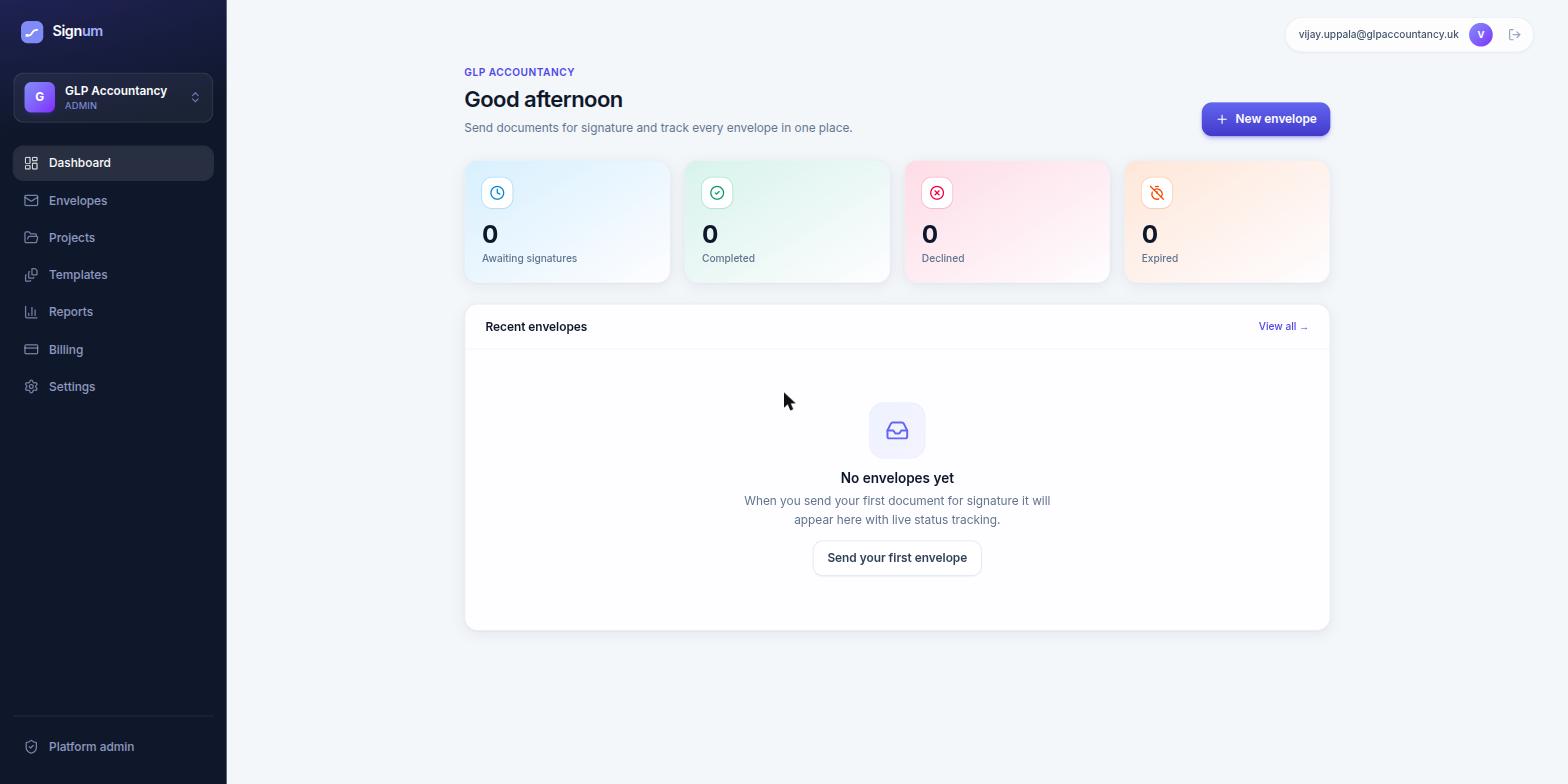
- 1
Details
Give it a subject your client will recognise ("Engagement letter — Acme Ltd"), an optional message, and choose whether multiple signers sign all at once or one after another.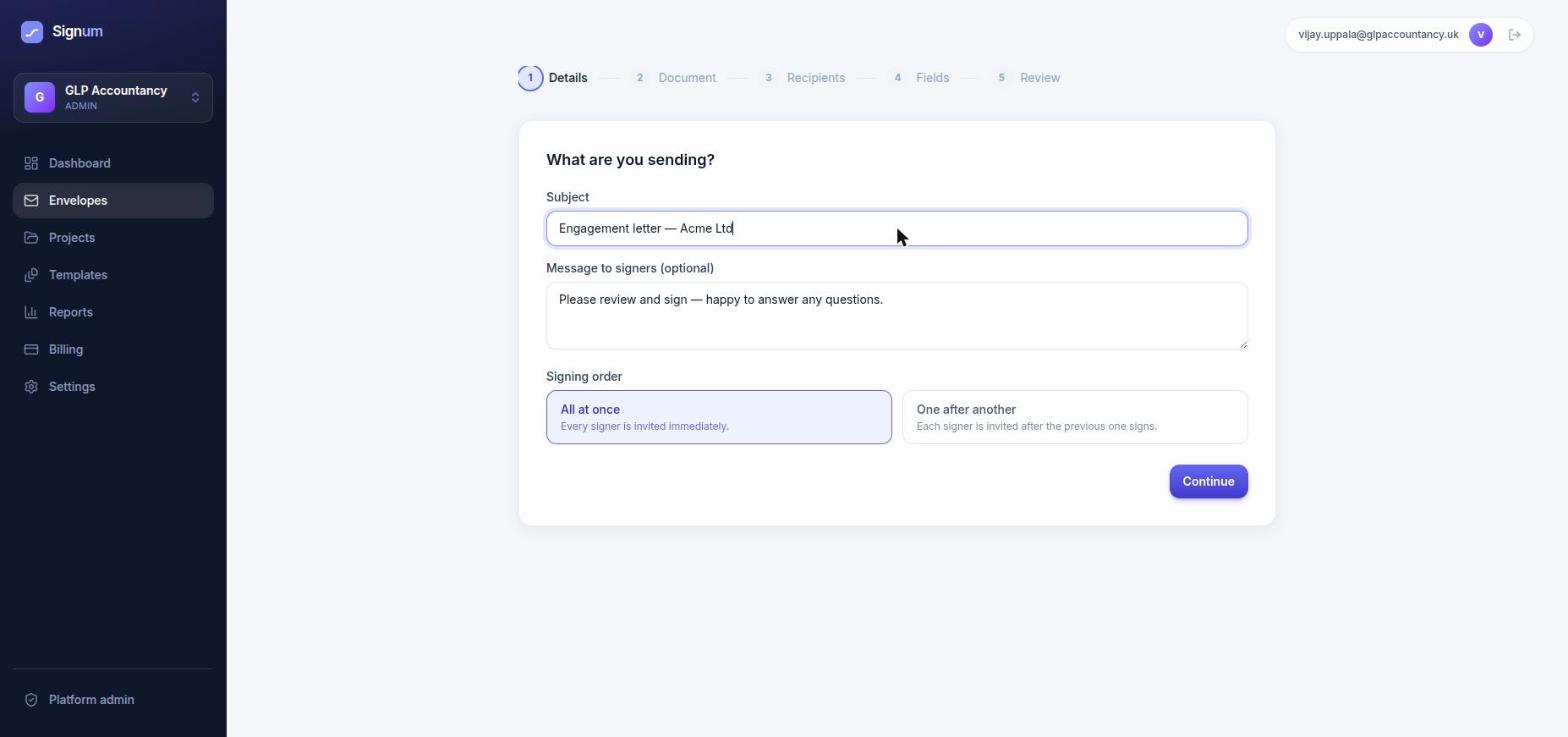
Step 1 — subject, message and signing order. - 2
Upload the PDF
Drop in one or more PDFs. Signers see them in order, as crisp pages — never a blurry preview.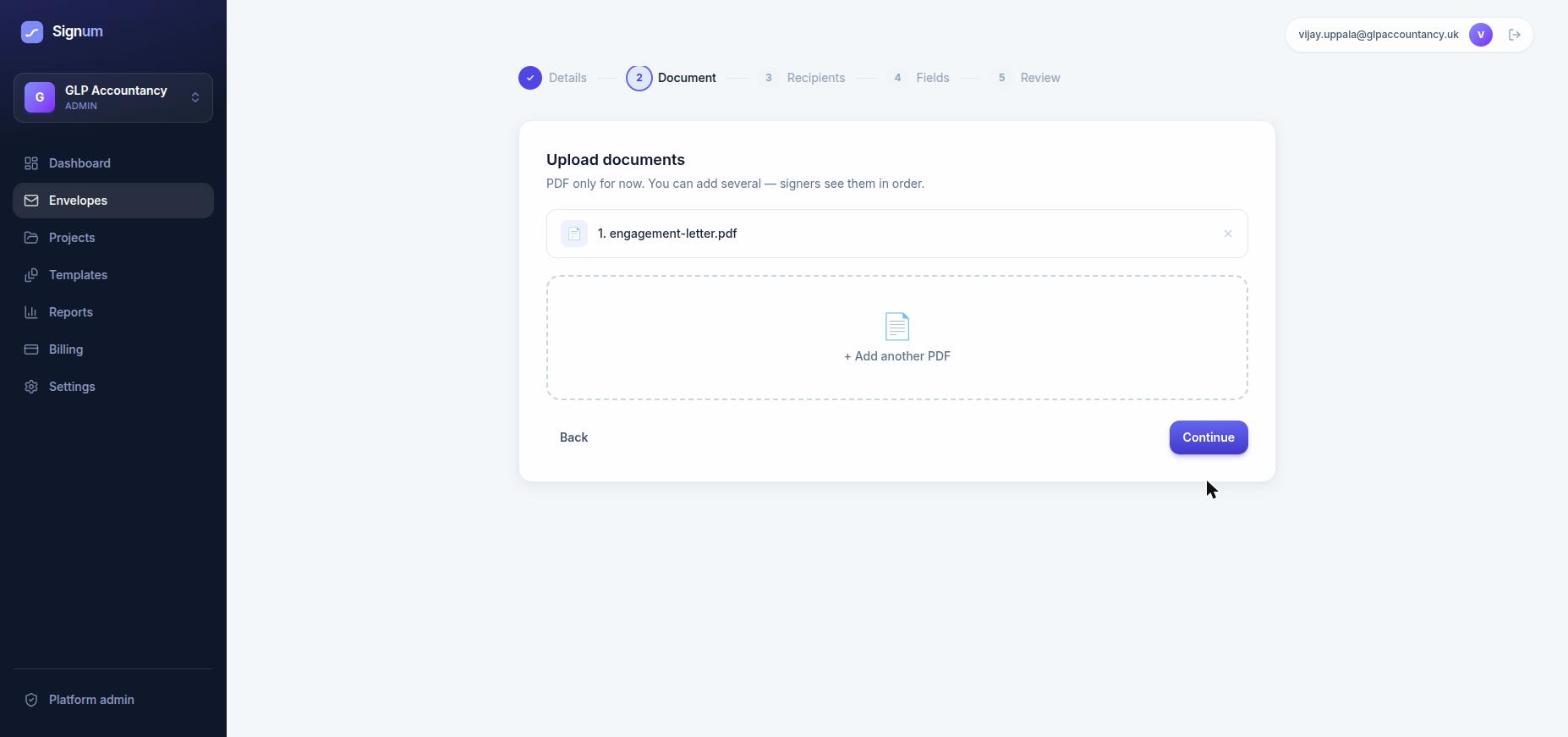
Step 2 — add one PDF or several. - 3
Recipients — and any documents you need back
Add each signer's name and email. If you need something from them — photo ID, proof of address — add it under Request attachments and mark each item Required or Optional. Required items must be uploaded before they can finish signing.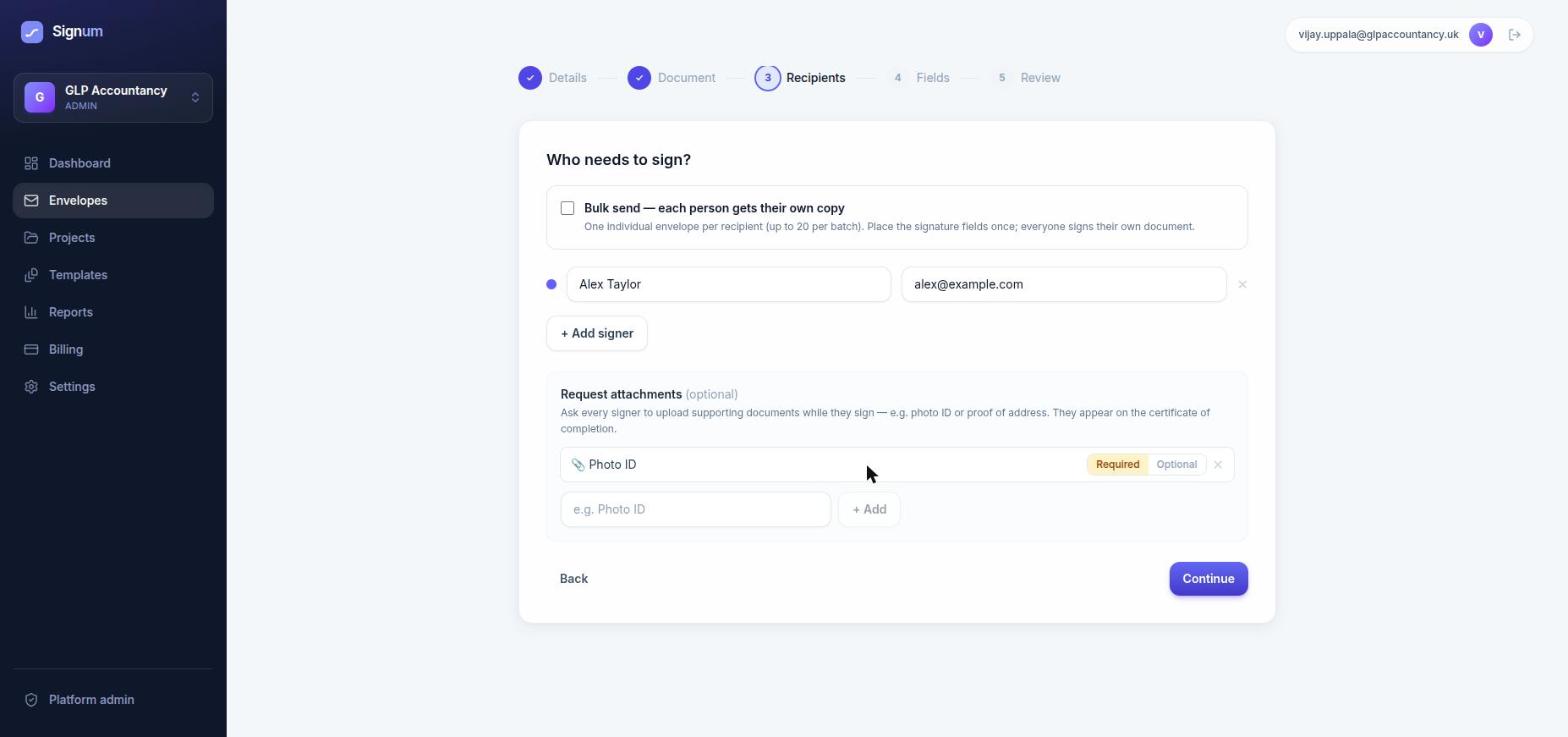
Step 3 — signers, plus the documents you want back from them. - 4
Place the fields
Click a field type (Signature, Date, Text, Checkbox, Radio, Dropdown…), then click the page to place it. Drag to move, drag the corner handle to resize, hover for ⧉ duplicate, ✎ label/options and ✱ required/optional. One click places one field — pick the tool again for the next.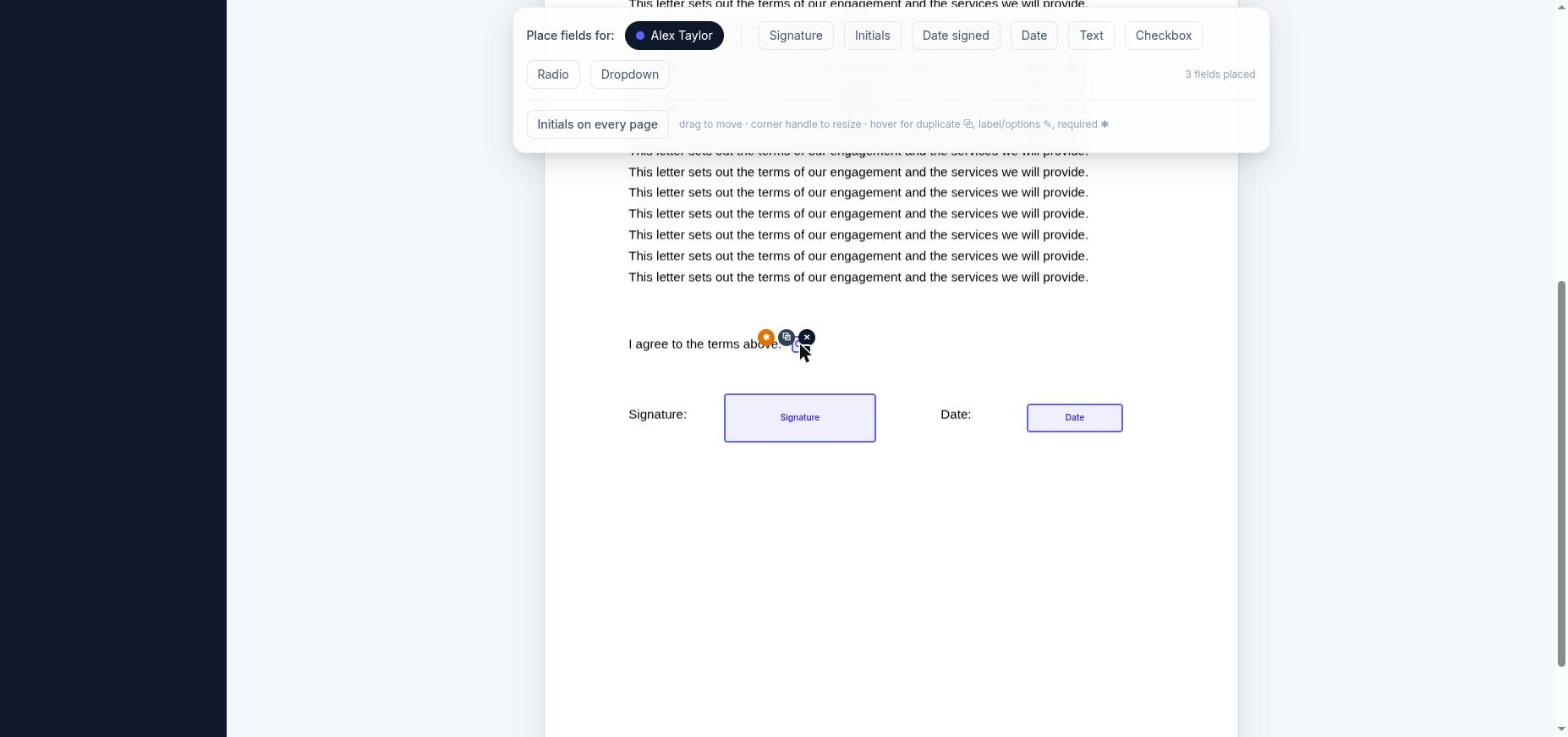
Step 4 — the field editor: palette on top, fields exactly where you drop them. - 5
Review & send
Check the summary and hit Send for signature. Every signer gets a branded email with their own secure link — no account or app needed on their side.
💡 Signing the same doc with many people? Place an initials box on every page in one click with Initials on every page in the field toolbar.
2 · What your client sees
Your logo and colours, your message, and — if you asked for attachments — a clear upload list right at the top. No login, no downloads: they open the link and go.
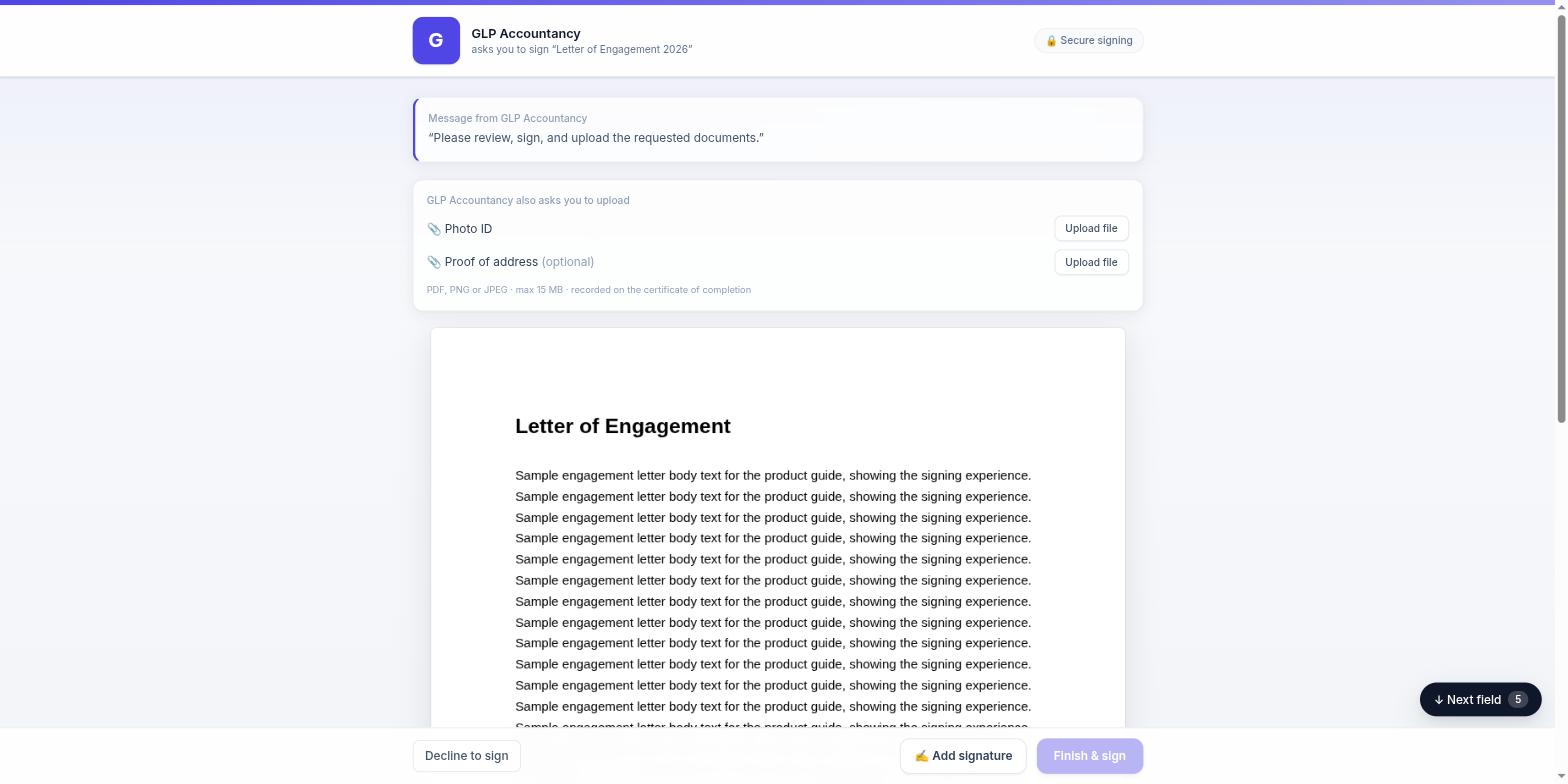
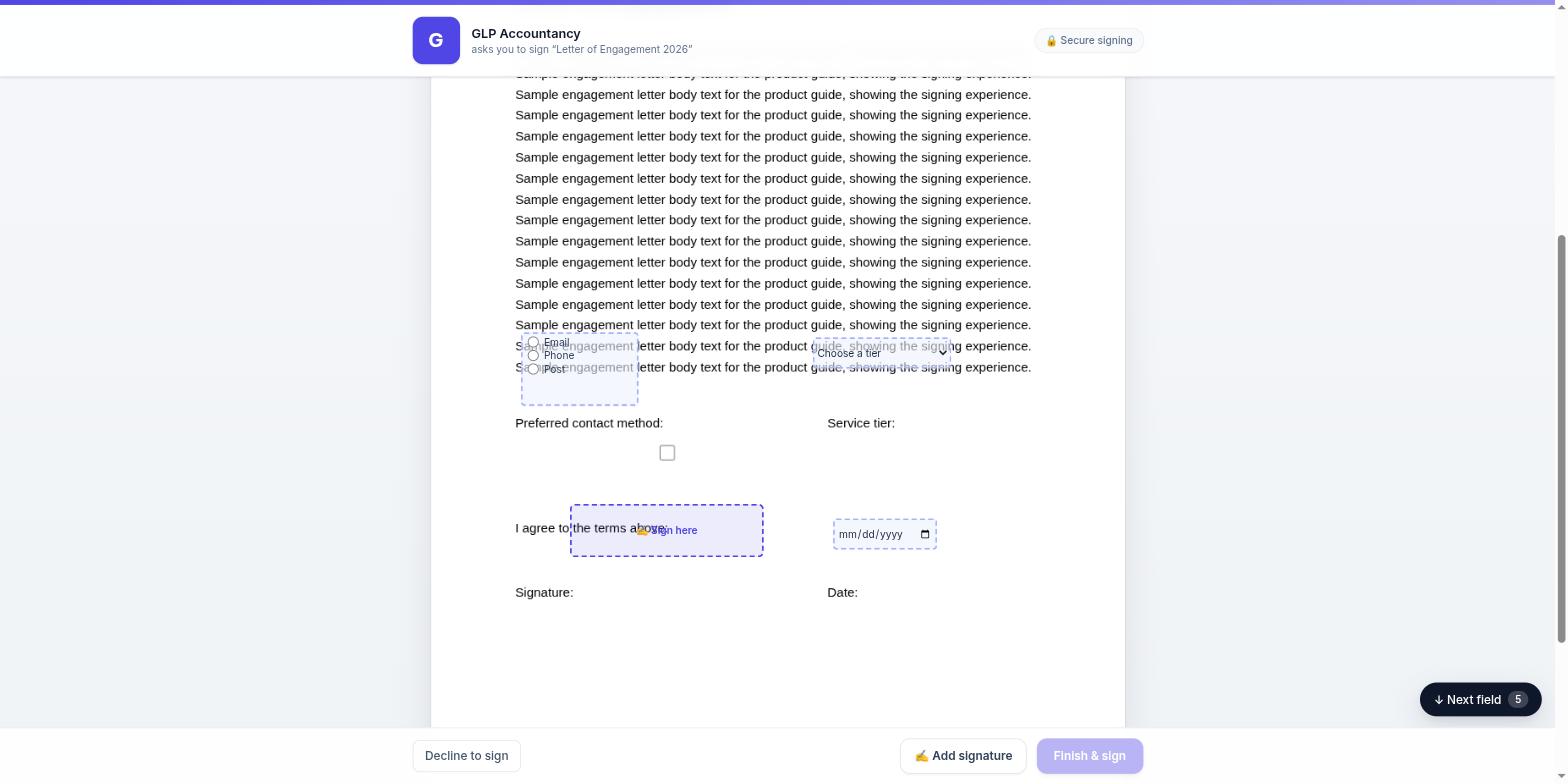
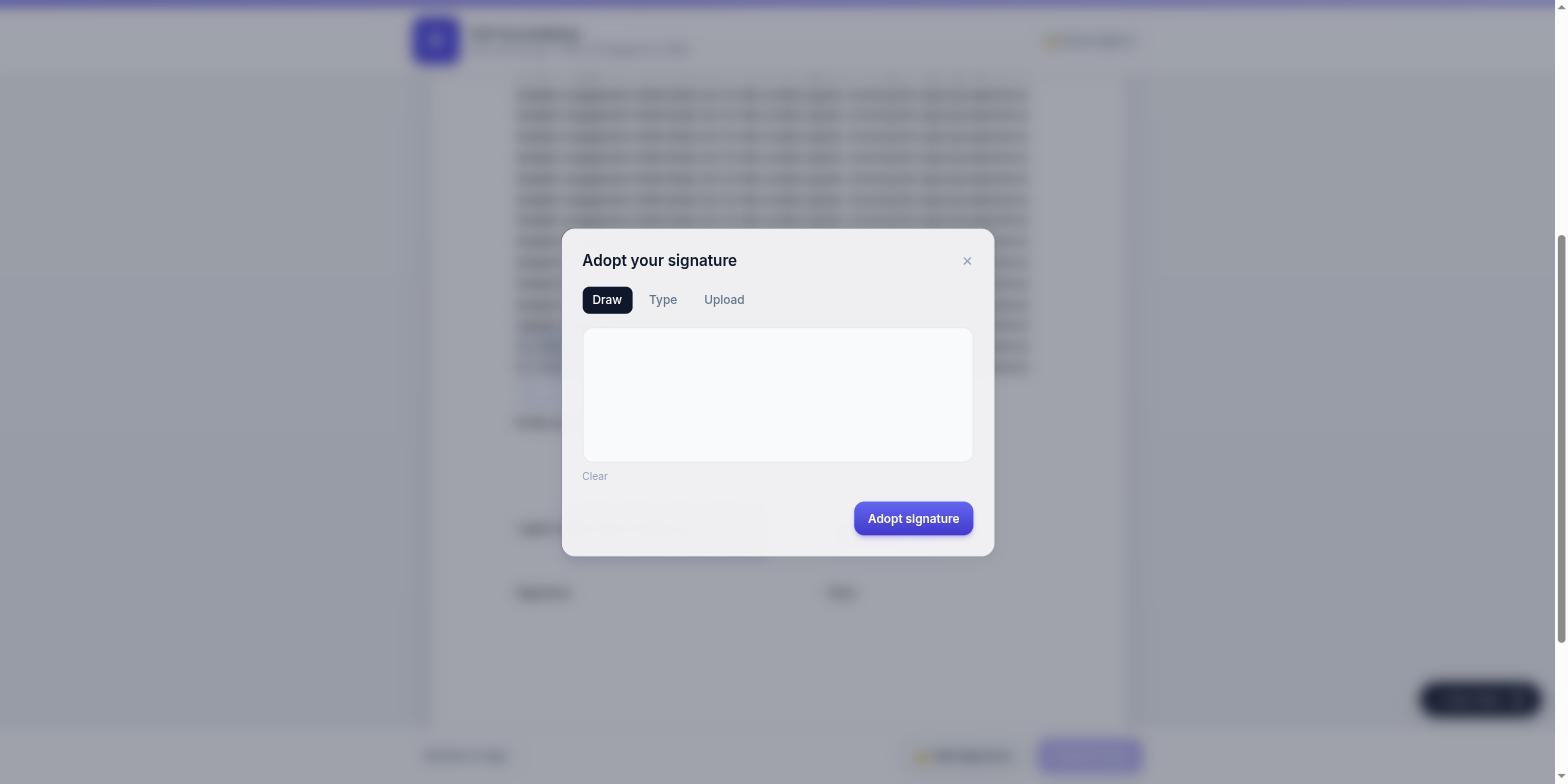
The Finish & sign button stays disabled until every required field is complete and every required file is uploaded, so you never receive a half-done document. A floating Next field button guides them through long documents.
3 · Work faster
Templates. Open any envelope and choose Save as template — documents, fields and attachment requests are all remembered. Next time it's: pick template, type a name and email, send. Seconds, not minutes.
Reusable signing links. One public link you can put in an email footer, onboarding pack or your website — everyone who opens it signs their own copy. No envelope prep, ever:
- Make a template if you haven't yet: open any envelope and choose Save as template. The template needs exactly one signer role — that's the role each visitor will fill. (Multi-signer templates can't be linked, because the link has no way of knowing who the other signers would be.)
- On the Templates page, press the 🔗 button on that template and give the link a name, e.g. Client onboarding.
- Copy the link — it looks like
getsignum.uk/s/your-link— and share it anywhere: email signatures, letters, QR codes, your website. - Each visitor enters their name and email and is taken straight into signing their own copy — no account, no app, no waiting for an invite email. Two people using the same link produce two completely separate, sealed documents.
Every completed copy appears in your dashboard like any other envelope, named for the person who signed it. Switch the link off any time from the Templates page — a retired link declines politely instead of collecting signatures.
Bulk send. Tick Bulk send in the Recipients step, paste (or CSV-upload) up to 20 "Name, email" lines, and each person receives their own individual envelope — fields placed once.
Sign in person. Client in the room? On the envelope page press Sign in person next to their name and hand over your device — same legal treatment, same audit trail.
Automatic renewals. On any completed envelope, set Automatic renewal to every 6, 12 or 24 months — perfect for annual engagement letters. Signum re-issues it to the same signers on schedule.
Reminders. Unsigned envelopes are chased automatically on your timeline — set it organisation-wide in Settings or per project, and nudge manually with Remind signers whenever you like.
4 · Track, download & verify
Every envelope shows a live status — sent → viewed → in progress → completed — and the page refreshes itself, so you watch signatures land in real time. Each signer's uploaded files appear as green 📎 pills right next to their status: click to download.
When everyone has signed, the document is flattened, sealed with a PAdES digital signature and timestamped. Download the signed PDF from the envelope page; a certificate of completion — identities, consent, IPs, timestamps, attachment fingerprints and the full tamper-evident event chain — is attached to it and stored separately as court-ready evidence.
Anyone can verify a Signum document independently: the certificate carries the SHA-256 fingerprints and the embedded digital seal can be checked in any PDF reader — no Signum account required.
5 · Good to know
- Is it legally binding?
- Yes — Signum produces advanced electronic signatures with consent capture, identity evidence and a tamper-evident audit trail, admissible under the UK Electronic Communications Act 2000 and retained UK eIDAS.
- Do signers need an account?
- Never. They open a secure one-time link from their email (or your signing link) and sign on any device.
- Can a signer decline?
- Yes — declining closes the envelope for everyone and notifies you immediately with their reason.
- What if a signing link is forwarded?
- Links are single-recipient and revocable. Every reminder re-issues a fresh link and retires the old one, and voiding an envelope kills all links instantly.
- How much does it cost?
- Three plans, billed monthly or annually — all + VAT, with annual priced at ten months so two months are free. Starter £14 a month is for one person running one business: unlimited documents and signers, templates, reminders, in-person signing, sealing and the audit trail. Professional £29 adds up to 3 businesses, unlimited team members, your own branding, signer attachments for ID and proof of address, bulk send, reusable links, automatic annual re-issue and projects. Group £59 adds up to 7 businesses plus API access, webhooks and the verification API — and is the only plan that can add more businesses beyond its allowance, at £8 + VAT a month (£80 a year) each, billed on your existing subscription. Starter and Professional cannot buy extra businesses: reaching the limit means moving up a plan. Documents and signers are unlimited on every plan for normal business use (a fair use policy applies, see the Terms) — we never charge per envelope or per seat. See the pricing section on the home page for the full comparison.
Ready to send your first document?
Unlimited documents and signers on every plan — from £14 + VAT a month. Fair use applies.
🔒 Encrypted & sealed · Signum is a product of Cloud Logics Limited